Magazine Template – Nature: Your Professional InDesign Solution
Finding the right foundation for a publication project can be the most time-consuming part of the creative process. Whether you are a designer assembling a portfolio piece, an entrepreneur launching a product catalog, or a blogger creating a digital lookbook, the structure of your layout dictates the flow of your content. Magazine Template – Nature offers a streamlined, professional starting point that eliminates the blank canvas anxiety. It is a fully editable layout designed specifically for Adobe InDesign, providing a clean and sophisticated framework for magazines, books, journals, and catalogs.
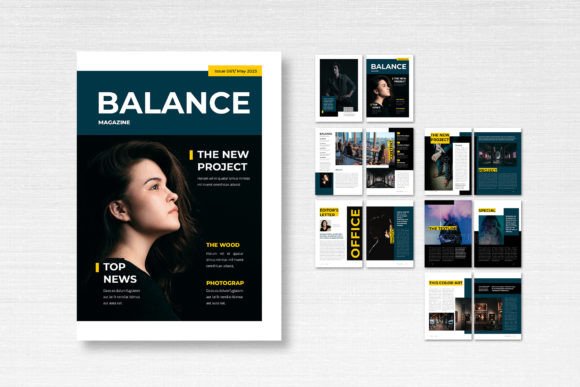
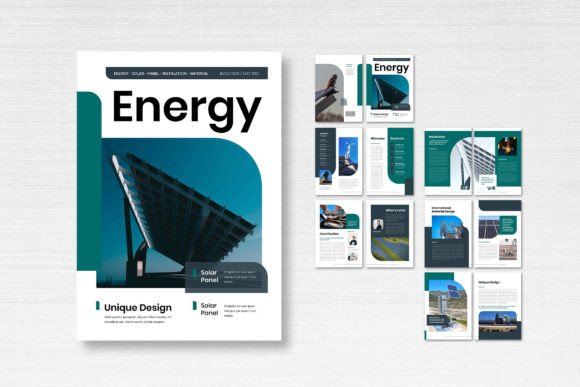
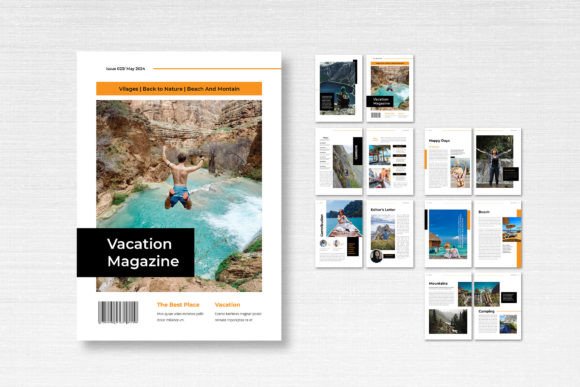
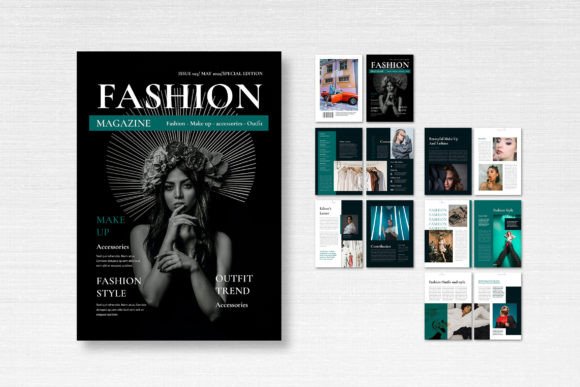
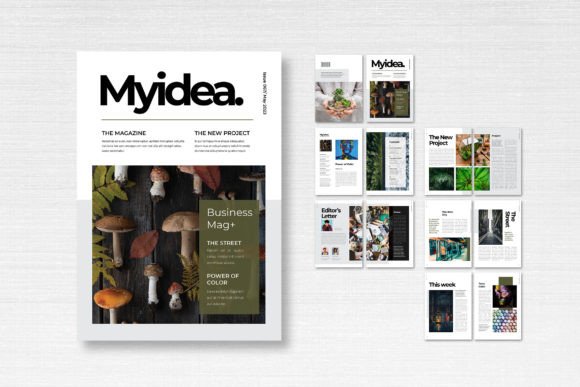
Unlike generic blank documents, this template comes pre-structured with 14 custom pages, including distinct front and back covers. It is built on a standard A4 portrait orientation (21cm x 29.7cm), making it versatile enough for both digital distribution and physical printing. The design philosophy here is "clean utility." It does not scream for attention with loud graphics; instead, it uses whitespace, grid alignment, and typography to let your content breathe. This makes it an ideal choice for industries ranging from editorial design to corporate reporting.
Understanding the Visual Language
The personality of Magazine Template – Nature is rooted in clarity. In the world of modern typography, less is often more, and this layout adheres to that principle. The margins are generous, allowing for a comfortable reading experience, while the column structure is rigid enough to guide the eye but flexible enough to accommodate various types of imagery and text blocks. Whether you are working with high-resolution photography or text-heavy articles, the visual hierarchy is already established to help you place elements where they matter most.
A critical component of any publication is the typeface selection. This template utilizes free fonts available through DaFont or Google Fonts, ensuring that you can access and install the typography without expensive licensing hurdles. While the specific style leans towards a clean serif font for body text (enhancing readability for long-form content) paired with a complementary sans serif font for headers, the layers are organized to allow you to swap these out easily. If you prefer a script font for a more whimsical aesthetic or a bold display font for impact, the smart layers make these global changes manageable.
Practical Applications Across Industries
One of the strongest aspects of Magazine Template – Nature is its adaptability across different professional needs. Because the layout is neutral and neatly organized, it serves as a versatile design asset for various scenarios:
- Brand Identity and Marketing: Small business owners can use this template to create seasonal lookbooks or quarterly reports. A consistent layout reinforces brand identity. By applying your brand colors to the CMYK format swatches, you ensure that the digital preview matches the physical print output.
- Publishing and Editorial: Independent publishers or bloggers can use the 14-page structure to create a mini-zine or a specific feature story. The inclusion of a front and back cover allows for a complete "publication" feel, even for a short run.
- Portfolio and Catalogs: For photographers, artists, or e-commerce businesses, a catalog layout is essential. The grid system here supports both full-bleed images (thanks to the 3 mm bleed setting) and smaller, detailed product shots.
The template is particularly useful for those who need to maintain a high level of professionalism without hiring a full design agency. It bridges the gap between a raw idea and a polished product.
Technical Specifications and Print Readiness
When moving from screen to paper, technical details matter. Magazine Template – Nature is configured at 300 DPI, which is the industry standard for high-quality printing. This resolution ensures that your images and text appear sharp and crisp, avoiding the pixelation often seen in web-optimized documents converted for print.
The use of CMYK Format Color is another crucial feature. Many creators make the mistake of designing in RGB (Red, Green, Blue), which is suited for screens, only to find their colors look dull or muddy when printed. This template is pre-set for the CMYK color model, which corresponds to the Cyan, Magenta, Yellow, and Key (Black) inks used in professional printing. This saves you a significant step in the pre-press process and reduces the risk of color discrepancies.
Furthermore, the 3 mm bleed is already extended beyond the trim lines. In the printing world, a "bleed" is the area that will be trimmed off after printing. By including this in the file, the template ensures that your background colors or images extend all the way to the edge of the page without leaving an accidental white border. This is a small technical detail that makes a massive difference in the recognition of a professionally produced item.
Customization and Workflow Efficiency
For designers and content creators, time is a valuable resource. The structure of Magazine Template – Nature is built for efficiency. The neatly organized layers mean that you are not digging through a mess of unnamed groups to find a text box. Elements are clearly labeled, allowing for quick isolation and editing.
This organization also supports dynamic font pairing. If you decide the pre-loaded serif font doesn't match the vibe of your packaging design or social media graphics, you can easily locate the text layers and apply a creative font of your choice. Because the layout relies on strong grid lines, swapping a thin, elegant font for a heavy, industrial one won't break the layout structure—it will simply change the tone.
Evaluating Fit for Your Project
Before committing to a layout, it is helpful to evaluate how the template fits your content volume. With 14 pages, this template is best suited for projects that have a moderate amount of content. It is enough to tell a compelling story or showcase a collection, but not so large that it becomes overwhelming for a single project. It works exceptionally well for:
- Lookbooks
- Art Zines
- Small Business Catalogs
- Interior Design Proposals
- Travel Journals
If you are a hobbyist or a crafter looking to document a project, the A4 size is convenient for home printing, provided your printer supports borderless printing to accommodate the bleed. For commercial use, the file is ready to send directly to a print shop.
Conclusion on Versatility
Magazine Template – Nature is more than just a collection of text boxes and image placeholders. It is a functional tool designed to streamline the creation process for entrepreneurs, marketers, and designers alike. By providing a solid technical foundation—complete with 300 DPI, CMYK settings, and smart layers—it allows you to focus on what matters: your content. Whether you are building a brand identity or simply compiling a portfolio, this template offers the structure and flexibility needed to produce a high-quality publication.