Magazine Template – Energy Theme: A Professional Design Foundation
Every designer, publisher, or entrepreneur knows the weight of a blank page. Starting a new magazine, catalog, or brand booklet from scratch is daunting. It consumes hours just setting up grids, margins, and master pages before you even think about content. The Magazine Template – Energy Theme exists to eliminate that friction. It’s a professional, clean, and fully editable Adobe InDesign template designed to give your projects a polished, cohesive start. Think of it not as a rigid mold, but as a robust framework—a set of intelligent, organized layers that you can bend to your specific vision, whether you're crafting a corporate report, a creative portfolio, or a community journal.
Understanding the Template's Core Strengths
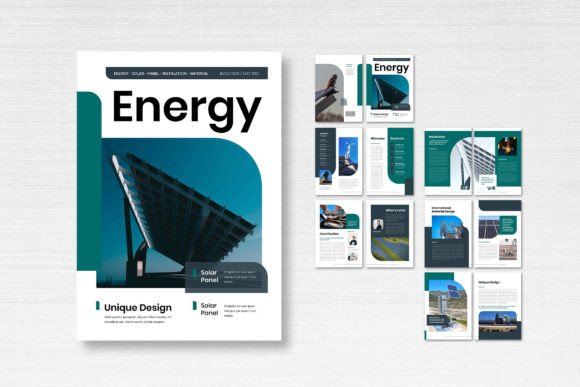
At its heart, the Energy Theme template is built for clarity and adaptability. The visual personality is one of structured modernity. It avoids overly trendy flourishes, focusing instead on clean lines, balanced layouts, and a logical flow that guides the reader's eye naturally. This makes it a versatile asset. The template comes in the standard A4 size (21cm x 29.7cm), a familiar format for print, and is prepared in CMYK color mode at 300 DPI with a 3mm bleed. This means your files are print-ready from the moment you start customizing, saving you technical headaches later.
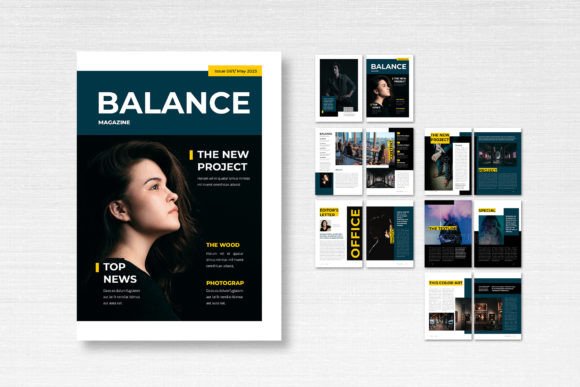
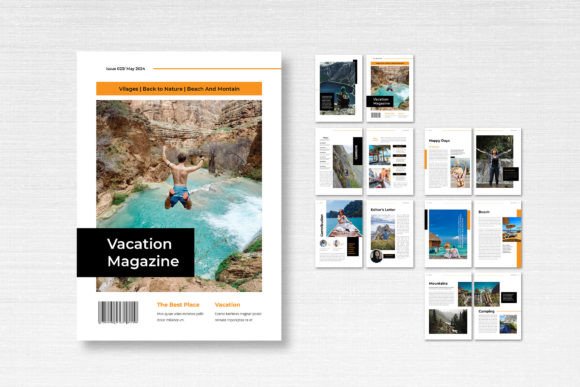
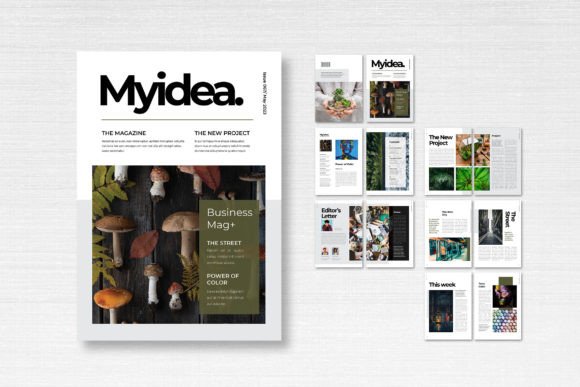
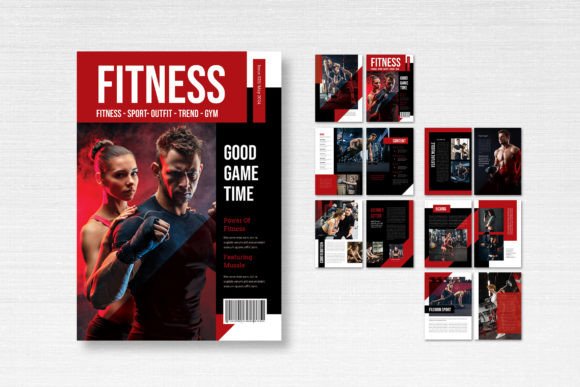
The package includes 14 custom pages, providing a complete structure from a compelling front cover to a definitive back cover. Within these pages, you’ll find a range of layout options: grid-based spreads for dense information, full-bleed image placeholders for visual impact, and clean text areas for long-form articles. The layers are meticulously organized and labeled, often using smart layer technology. This is a game-changer for efficiency. Instead of digging through a chaotic layers panel, you can quickly isolate and edit specific elements—swap a photo, change a color swatch, or adjust a text frame without disrupting the rest of the design.
Where This Template Truly Shines
The practical applications for the Magazine Template – Energy Theme extend far beyond a traditional magazine. Its professional demeanor makes it suitable for a wide array of projects. A small business owner could use it to create a stunning product catalog or an annual report that impresses stakeholders. A marketing team might adapt it for a quarterly internal newsletter or a sleek lookbook for a new product line. Content creators and bloggers can leverage its structure to produce downloadable PDF guides, e-books, or digital portfolios that feel substantial and credible.
For designers, it’s a valuable starting point for client projects. You can quickly mock up a concept for an editorial design pitch or use it as a base to develop a brand's print collateral. The clean aesthetic also translates well to digital formats. Consider adapting the layouts for interactive PDFs, digital magazines on platforms like Issuu, or even as a framework for designing engaging social media graphics that maintain a consistent visual theme. The key is its role as a design asset that accelerates your workflow, allowing you to focus on content and fine-tuning rather than foundational setup.
Making It Your Own: Customization and Practical Use
A template is only as good as your ability to make it yours. The Energy Theme template is designed for straightforward customization in Adobe InDesign. The first step is often typography. The template utilizes free fonts available from sources like DaFont or Google Fonts, which removes any licensing cost barrier. You can stick with the suggested pairing for a cohesive look, or experiment. When choosing your own, consider the project's tone. A serif font might add tradition and authority, while a clean sans-serif can enhance the modern, approachable feel. Always test your font pairing in the actual layout to check for readability and visual hierarchy.
Color is another powerful lever. The CMYK color swatches are easily editable. You can completely recolor the entire document to match a client's brand identity or your own personal project's palette. This is where the template influences brand perception. A consistent color scheme applied across all 14 pages builds recognition and professionalism. Don't be afraid to replace the placeholder images with your own high-resolution photographs or illustrations. The layouts are built to handle a variety of aspect ratios, but always check that your images are 300 DPI for print quality.
A Final Check Before You Publish
Before you export your final PDF for print or digital distribution, run through a quick checklist. First, review the readability. Ensure your body text has enough leading and that columns aren't too wide for comfortable reading. Second, verify the visual hierarchy. Do headlines stand out? Is the flow from one page to the next logical? Third, double-check that all your images extend properly into the bleed area if they are meant to be full-bleed. Finally, while the fonts are free for commercial use, it's always good practice to confirm the license terms for any new fonts you introduce. This attention to detail separates amateur work from professional results.
The Magazine Template – Energy Theme is more than just a pre-made layout. It’s a strategic tool that provides a professional foundation, saves valuable time, and empowers you to produce high-quality print and digital publications. By understanding its structure and leveraging its organized, editable nature, you can transform it into the perfect vessel for your content, stories, and brand message.