Annual Report Creative Light Blue: A Fresh Take on Business Docs
If you have ever dreaded the task of compiling a year-end summary, you are not alone. Most annual reports feel like dense, uninspired blocks of text that fail to capture the dynamic nature of a growing business. This is exactly why the Annual Report Creative Light Blue template exists. It bridges the gap between rigid corporate data and modern, engaging storytelling. For designers, entrepreneurs, and content creators, this asset provides a professional framework that feels fresh rather than stale. It allows you to present complex information—from financial health to operational procedures—in a way that actually invites people to read it.
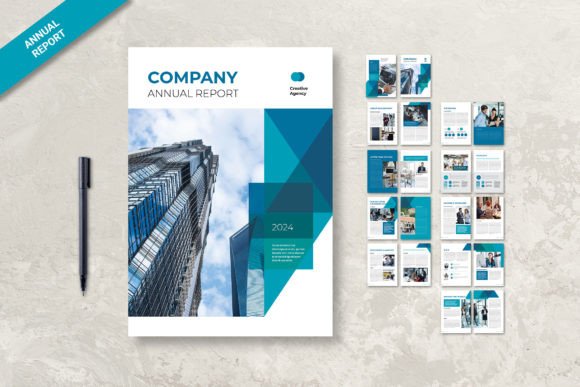
The visual personality of this template is defined by its namesake hue. The light blue palette is not just a color choice; it is a psychological tool. In design, blue conveys trust, stability, and calmness. By using a lighter, more airy shade, the template avoids the heaviness often associated with corporate finance documents. The layout utilizes ample white space, which is crucial for readability. It guides the reader’s eye naturally through columns of data and sidebars of text. Whether you are using it for a non-profit organization or a tech startup, the aesthetic remains versatile. It feels corporate enough for stakeholders but creative enough to keep your team engaged.
Practicality Meets Modern Typography
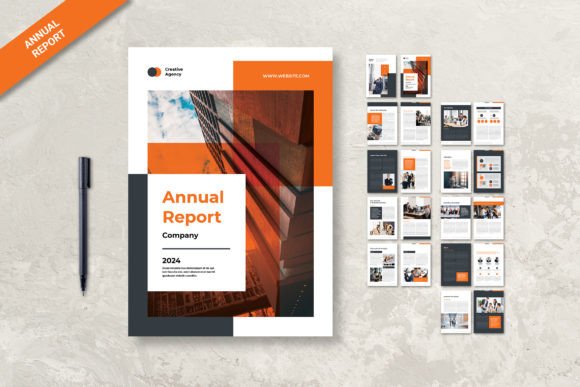
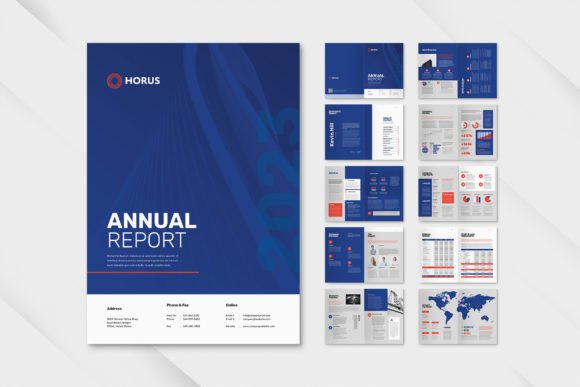
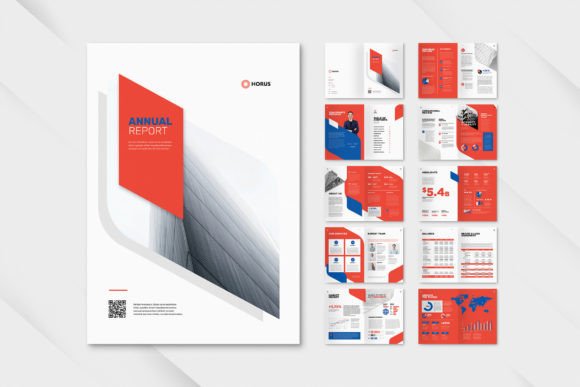
One of the strongest features of the Annual Report Creative Light Blue is its focus on structure and usability. Inside the download, you will find 12 custom pages, including a distinct front and back cover. The dimensions are set to standard A4 (21cm x 29.7cm), making it immediately ready for professional printing without the headache of resizing. The designers have included a 3 mm bleed on all edges, which is an industry standard that ensures your ink goes right to the edge of the paper with no unsightly white borders after trimming.
For those worried about technical compatibility, the package comes with both INDD and IDML files. This means whether you are running the latest version of Adobe InDesign or an older iteration, you can open and edit the files without friction. The CMYK format and 300 DPI resolution ensure that what you see on screen translates to high-fidelity ink on paper. However, the true power lies in the "Smart Layers" and organized file structure. Instead of digging through a mess of unlocked elements, you can easily isolate text blocks, swap out placeholder images, and adjust color swatches. This organization saves hours of production time, allowing you to focus on the content rather than fighting with the file.
Transforming Data into Visual Narrative
The core purpose of this template is to handle information density gracefully. A good annual report needs to cover a lot of ground: company history, working structure, team bios, performance analysis, and financial breakdowns. The Annual Report Creative Light Blue layout is designed to compartmentalize this data. You have dedicated sections for data analysis that utilize charts and graphs, while text-heavy sections use a clean typographic hierarchy to prevent reader fatigue.
Think about the visual hierarchy in play here. The template uses bold headings to establish authority and smaller body text for detailed explanations. This contrast is vital for brand perception. A well-structured report signals to investors and partners that your company is organized and transparent. It is not just about looking good; it is about professionalism. When you present your company’s financial health in a layout that is easy to navigate, you build trust. The "Light Blue" theme acts as a consistent thread, tying disparate sections together into a cohesive brand identity.
Customization for Any Sector
While the prompt mentions "business purpose," the utility of the Annual Report Creative Light Blue extends far beyond the corporate boardroom. Because the design is clean and uncluttered, it serves as a fantastic base for various sectors.
Consider these practical applications:
- Non-Profits: Use the clean layout to highlight donation impact and community stories alongside the mandatory financial disclosures.
- Creative Agencies: The light blue aesthetic provides a neutral backdrop that makes colorful portfolio pieces pop.
- Educational Institutions: Structure curriculum overviews and student performance data in a way that is accessible to parents and administrators.
- Startups: When pitching to investors, a sleek, modern report design can subconsciously communicate that your startup is "with the times" and detail-oriented.
Furthermore, the template is fully editable. You are not locked into the light blue scheme. If your brand uses navy and gold, you can adjust the color swatches globally. If you prefer a different typeface, the free font used in the preview (available via DaFont or Google Fonts) can be swapped out for a premium font that matches your specific brand identity. However, the default choice is excellent for maintaining readability across both digital screens and printed paper.
Design Strategy: Pairing and Presentation
When you download and begin editing the Annual Report Creative Light Blue, keep a few design principles in mind to maximize its impact. First, respect the white space. It can be tempting to cram in extra text to save pages, but this ruins the "creative" aspect of the design. Let the layout breathe. Second, pay attention to font pairing. The template likely uses a specific combination of headings and body text. If you decide to change the fonts, ensure you maintain a balance between a display font for impact and a highly legible sans serif font or serif font for the body copy.
Finally, remember that this document is a design asset. Treat it with the same care you would a logo or a website. It is a tangible representation of your work over the past year. By utilizing the 300 DPI settings and professional layout, you ensure that your performance analysis and company information are presented with the gravity they deserve. Whether you are a freelancer compiling a portfolio report or a manager summarizing annual KPIs, this template provides the structure you need to communicate effectively.